Service Area Settings: Thumbtack vs Angi vs Nextdoor
How the three biggest local-services platforms let pros set a service area. One uses a mile radius, one uses ZIP codes only, one uses neighborhood polygons.
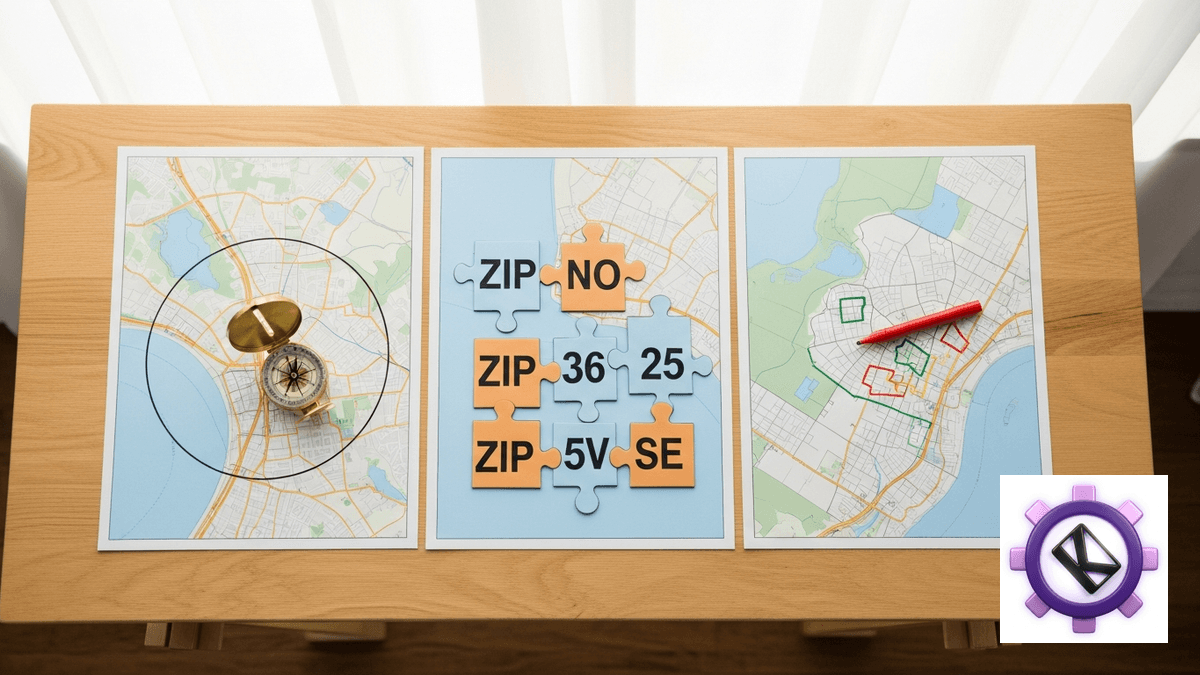
The three biggest local-services platforms do not agree on what a service area even is. Thumbtack uses a mile radius measured from your business address, configured separately for every service you offer. Angi has no radius control anywhere in its pro tools: you select ZIP codes one at a time on a map. Nextdoor runs three products on three different geographies, from platform-drawn neighborhood polygons on the organic side to a radius slider capped at 30 miles on paid ads. If you run the same crew across all three, you are maintaining three incompatible definitions of "where we work."
TL;DR
- Thumbtack is radius-first. Its help article says pros set travel distance "by selecting a mile radius, counties, cities, or even zip codes," with the business address as the center point.
- Angi has no radius control at all. Both official Angi Help Center articles describe service area purely as ZIP-code selection at office.angi.com under Leads, then Service locations. No miles, no slider, no minimum or maximum appears anywhere in the docs.
- Nextdoor's free business post reach is fixed at 2 miles and cannot be adjusted. Nextdoor Ads and Local Deals use a slider capped at 30 miles.
- Nextdoor migrated its paid product off polygons. The Local Deals transition page states that legacy deal targeting was "converted from neighborhoods to the ZIP codes those neighborhoods were within," while the organic neighbor feed still runs on Nextdoor-drawn polygons.
- None of the three shows a distance to the consumer. Live Thumbtack results for Los Angeles house cleaning render "Serves Los Angeles, CA" and Angi's Los Angeles company list shows only a city per company. Radius is a supply-side matching control, never a demand-side display element.
The three geography models side by side
Before getting into each platform, here is the whole comparison in one place. Confidence labels matter here, so read the source column: a number that comes from a community thread is not the same kind of fact as a number printed in an official help article.
| Platform / product | Geography model | Default | Minimum | Maximum | Distance shown to consumer | Source and confidence |
|---|---|---|---|---|---|---|
| Thumbtack, travel to client | Mile radius from business address, or counties / cities / ZIPs | Not documented | Not documented | 150 mi (community thread, staff-adjacent) | No | Thumbtack travel preferences, HIGH on model, MEDIUM on cap |
| Thumbtack, customers travel to me | Distance only, no area picker | Not documented | Not documented | Not documented | No | Same article, HIGH. It states the mode "is set by distance only" |
| Angi service locations | ZIP codes selected individually | None | Not documented | No documented cap | No | Angi Help Center, How to Update Your Service Locations, HIGH |
| Nextdoor organic feed | Nextdoor-drawn neighborhood polygons plus auto-linked nearby neighborhoods | Your neighborhood plus algorithmic nearby set | Not applicable | Not applicable | No | Nextdoor help content, MEDIUM on mechanics |
| Nextdoor free business post | Fixed radius, not adjustable | 2 mi | 2 mi | 2 mi | No | business.nextdoor.com, HIGH |
| Nextdoor Ads / Local Deals | Radius slider, converted to ZIP targeting | Not documented | Not documented | 30 mi | No | Local Deals transition, HIGH |
Two things jump out of that table. First, the "default" and "minimum" columns are mostly empty, and that is not laziness on our part. None of the three platforms publishes a default or a floor for its radius controls in public documentation. If a competitor's blog post tells you Thumbtack defaults to 25 miles or that Nextdoor Ads start at 5 miles, ask them for the source, because there is not a public one.
Second, the far-right display column is uniformly "no." That single fact reframes the entire configuration exercise. Pros routinely tune their radius as if it were a trust signal that customers evaluate, the way a restaurant listing shows "1.2 mi away." It is not. On all three platforms the radius is an input to a matching engine that runs before the customer ever sees you. Widening it changes how often you appear. It does not change how far away you look, because you never look like any distance at all.
Thumbtack: a mile radius per service, with an unofficial ceiling

Thumbtack is the only one of the three with a real radius primitive, and its own help article is unusually direct about it. The article states that pros "set your travel distances by selecting a mile radius, counties, cities, or even zip codes." That is four different ways to express the same coverage question, and Thumbtack treats them as interchangeable inputs to one setting rather than as separate layers. The center of the radius is your business address, which means that moving your registered address moves your entire lead flow.
There is a second mode that changes the rules. For services where customers come to you rather than you going to them, the article says the setting "is set by distance only (you can't pick specific areas)." So the counties, cities, and ZIP options are not universally available. If your business runs both models, a shop that also does on-site work for example, you will find one service offering you a rich area picker and another offering you a bare distance field, and that is by design rather than a bug.
Travel areas are configured separately per service. This is the single most expensive detail on the platform and the one pros most often miss. Adding a new service to your Thumbtack profile does not inherit the coverage you carefully tuned on your primary service. It starts fresh, and if you skip past the setup step you can end up quoting jobs across a footprint you never intended. A related per-service quirk: a "work remotely" toggle appears only on services that support remote delivery, so its absence on a given service is not a missing feature, it is the platform telling you that service is inherently on-site.
Now the parts that deserve a confidence warning. The official Thumbtack help article does not state a maximum radius at all. The widely repeated 150-mile figure comes from a Thumbtack Community thread where staff, posting under an Administrator account, replied in a way that treats 150 miles as the ceiling, alongside a repeated community line that each profile "may cover up to 150 mile radius." That is official-adjacent, not official. Treat 150 as a strong working assumption and verify it against your own account before you build a territory plan on it. The minimum radius and the slider increments are simply unverified. We could not find either documented anywhere, official or otherwise.
Bulk ZIP upload by CSV exists, with a cap that appears to be 1,000 ZIP codes per upload. Confidence there is medium: the number comes from a user-pasted error string, "Please upload a file with a maximum of 1000 zip codes," in the same community thread where staff announced the feature. For a single-truck operator that ceiling is irrelevant. For a franchise or a multi-market agency loading coverage for dozens of locations, it is a real batching constraint worth designing around.
Angi: ZIP codes only, and no radius exists
The headline finding on Angi is a negative one, and negatives are hard to prove, so here is the evidence. Both official Angi Help Center articles covering service area describe the same mechanism and only that mechanism: ZIP-code selection. You either tap ZIP codes directly on a map, or you type a city or ZIP into a search field and pick from the results. That is the complete surface. There is no mile field, no slider, no drive-time option, and no minimum or maximum stated anywhere in the documentation.
Coverage lives at office.angi.com, under Leads, then Service locations. Like Thumbtack, Angi scopes selections per task or service rather than to the account as a whole, so a plumber who lists drain cleaning and water heater installation configures ZIPs twice. Unlike Thumbtack, Angi documents no cap on how many ZIPs you can select. In principle you could paint an enormous footprint one ZIP at a time. In practice the manual selection cost is the cap.
The absence of a radius is not a small UX difference. It changes what you are able to express. A radius is a statement about your willingness to drive. A ZIP list is a statement about administrative boundaries that were drawn for mail delivery. The two only coincide by accident. ZIP codes vary wildly in physical size, from a few blocks in dense urban cores to hundreds of square miles in rural areas, so "select every ZIP within 20 miles" produces a jagged shape that over-covers in one direction and under-covers in another. If your economics depend on drive time, you are approximating that by hand on Angi, and you should redo the approximation whenever you change your shop address.
Two operational constraints matter more than the geography model itself. First, the service locations screen is read-only for a large class of pros: those on a Subscription, and those with more than one coverage area. Those accounts cannot self-serve a change at all. They have to call 877-947-3639. If you manage Angi accounts for clients, assume phone-mediated edits are the default rather than the exception, and build that latency into any campaign that depends on a coverage change landing on a specific date.
Second, changes take overnight to apply. There is no same-day territory adjustment on Angi. You cannot widen coverage on a slow Tuesday morning and expect leads that afternoon. Every coverage decision is a next-day decision, which pushes you toward setting a slightly wider footprint than you strictly want and filtering on your end, rather than tuning tightly and reacting to demand.
One housekeeping note that trips up anyone searching for documentation: Angi's pro-facing help content now lives on intercom.help/angi rather than the older help.angi.com. Bookmarks and third-party blog links to the old host are the main reason so much outdated Angi advice is still circulating.
Nextdoor: three products, three different maps
Nextdoor is the strangest of the three because it does not have one geography model, it has three, and they belong to three different products that pros routinely confuse with each other.
The organic neighbor product runs on polygons. Nextdoor draws neighborhood boundaries itself, and members belong to one. Reach beyond your own neighborhood comes from "Nearby Neighborhoods," a set that Nextdoor assembles with a distance-based algorithm that, in the platform's own framing, "automatically connects your neighborhood with the neighborhoods that are closest." New nearby neighborhoods get added automatically as the map fills in. Members can personalize which nearby neighborhoods they see, and can follow neighborhoods outside their set, though following is read-only: you can see posts there without being able to post into them. Confidence on the fine details here is medium, since much of it comes from help content that Nextdoor revises frequently.
The practical consequence is that on the organic side, you do not have a service area setting. You have a home neighborhood and an algorithmically maintained blast radius that grows on its own. Pros who treat organic Nextdoor as a targeting channel are misreading it. It is a residency channel.
Free Business Posts are locked at 2 miles. That is a fixed reach, not a default, and it is not adjustable. For a lot of urban service businesses 2 miles is a genuinely useful footprint, roughly a walkable-plus-short-drive neighborhood. For anyone in a suburban or rural market, 2 miles is close to nothing, and the correct read is that the free tier is a sampler rather than a channel.
Nextdoor Ads and Local Deals use a radius slider capped at 30 miles. The Local Deals transition page puts it plainly: "Using a slider, you can select a radius of up to 30 miles around your business to display your ad." The default radius and the minimum are not documented anywhere we could find, so treat both as unverified.
The most interesting line on that transition page is not the 30-mile number, it is the migration note. Nextdoor states that legacy deal targeting was "converted from neighborhoods to the ZIP codes those neighborhoods were within." That is a paid product moving off polygon targeting onto ZIP-derived targeting, with a radius slider as the front end. Read together with the organic side, Nextdoor now runs polygon geography for content and ZIP geography for money. The same transition also changed the pricing model, from price-per-neighborhood to a daily budget, which is the commercial half of the same shift: neighborhoods stopped being billable units the moment they stopped being targeting units.
For a pro, the takeaway is that your Nextdoor "service area" answer depends entirely on which Nextdoor you mean. Organic reach is set by where you live and what Nextdoor's algorithm decides is near you. Free post reach is 2 miles, full stop. Paid reach is up to 30 miles, expressed as a radius, executed as ZIPs.
What the customer actually sees: no distance, anywhere
This section is the one worth reading twice, because it is verified against live consumer pages rather than documentation. We pulled live Thumbtack results for house cleaning in Los Angeles and the Angi company list for Los Angeles. Neither surface shows a distance.
| Consumer surface | What it renders | Distance shown | How we know |
|---|---|---|---|
| Thumbtack search results, LA cleaning | "Serves Los Angeles, CA" | No | Live page pull, July 2026 |
| Angi company list, Los Angeles | One city per company, e.g. "Van Nuys", "Gardena" | No | Live page pull, July 2026 |
| Third-party Thumbtack scraper schema | serviceArea ("Houston, TX"), city, state, zip | No | Public field schema, no distance field exists |
| Nextdoor free business post | Post in feed, no proximity label | No | Reach is 2 mi, distance is not surfaced |
| Nextdoor ad from radius slider | Ad in feed, no proximity label | No | Radius resolves to ZIP targeting before serving |
The third row is the strongest piece of corroboration, because it is independent of anything Thumbtack chose to render on a given day. A third-party scraper that reverse-engineers Thumbtack pro profiles exposes serviceArea as a place string, plus city, state, and ZIP fields, and there is no distance field in the schema at all. You cannot scrape a value that the page never contains.
So across all three platforms, in both the documented product behavior and the live rendered pages, not one surfaces "X miles away" to a prospective customer. Distance exists only inside the matching layer. That has three consequences for how you should configure coverage.
First, stop optimizing your radius for perceived credibility. There is no "too far away" badge for a customer to react to. A pro 40 miles out and a pro 4 miles out look identical in the list, differing only in the city string. If you are shrinking coverage because you worry distant customers will distrust you, you are solving a problem that the interface does not create.
Second, the city string is the only geographic impression you control, and it is derived, not chosen. Thumbtack renders a "Serves" line, Angi renders your company's city. On Angi in particular, the city shown is your location, not the customer's, so a Gardena address advertises Gardena to someone searching in Santa Monica. That is a real positioning decision hiding inside an address field.
Third, because the radius is invisible, the only feedback you get from widening it is lead volume and lead quality. There is no display penalty and no trust penalty, only the operational cost of quoting jobs you may not want to drive to. That argues for setting coverage wider than instinct suggests and disqualifying on your side, especially on Angi where a change costs you an overnight wait and possibly a phone call.
Configuring all three without wasting lead spend

If you run all three platforms, the fastest way to stop losing money is to stop treating them as three copies of one setting. Here is the operational cheat sheet, grouped by the constraint that actually bites.
| Constraint | Thumbtack | Angi | Nextdoor |
|---|---|---|---|
| Where you edit | Travel preferences, per service | office.angi.com, Leads, Service locations | Ads manager for paid; nothing for organic |
| Scope of a single edit | One service | One task or service | One ad or deal |
| Self-serve? | Yes | No for Subscription pros or multi-area pros, call 877-947-3639 | Yes for paid |
| Time to take effect | Not documented | Overnight | Not documented |
| Bulk import | CSV, about 1,000 ZIPs per upload (medium confidence) | Not documented | Not applicable |
| Free-tier reach | Not applicable | Not applicable | 2 mi, fixed |
Start with Thumbtack, because it is the only platform where you can state your actual constraint. If your real limit is willingness to drive, use the mile radius and set it from the address you genuinely dispatch from, not a mailbox or a home address you happen to have registered. Then walk every service you have listed and check its travel area individually. The per-service default is where quiet coverage errors live, and they compound every time you add a service.
On Angi, do the ZIP work once, carefully, in a spreadsheet before you touch the interface. Because there is no radius, your list is a manual approximation of one, and because changes land overnight and may require a phone call, iterating in the UI is expensive. Build the target ZIP list from your actual job history if you have it, not from a circle drawn on a map, since your real profitable footprint is rarely circular. Anyone in the subscription or multi-area bucket should plan a single consolidated call rather than a sequence of small tweaks.
On Nextdoor, decide which product you are actually buying. If your economics work inside 2 miles, the free business post is a real channel and you need no configuration at all. If they do not, the free tier will never scale to fit, and the answer is the paid slider, which tops out at 30 miles. Do not expect the organic feed to fill the gap, because you do not control its geography.
One cross-platform habit is worth adopting regardless of stack: keep your own canonical coverage definition, in your own file, in whatever primitive matches your business (drive time, ZIP list, or radius), and treat each platform's setting as a translation of it. That way, when you change shops or add a crew, you update one source and re-translate three times, instead of trying to reconstruct what you meant from three partially-drifted platform screens. Tools that build local prospect lists, Keendai included, work from that same canonical coverage definition rather than from any one platform's model.
Related reading
Frequently Asked Questions
What is the maximum service radius on Thumbtack?
Thumbtack's official help article on travel preferences does not state a maximum at all. The commonly cited 150-mile figure comes from a Thumbtack Community thread in which staff, posting under an Administrator account, engage with 150 miles as the cap, alongside a repeated community line that a profile may cover up to a 150-mile radius. That is official-adjacent rather than official documentation. Treat 150 as a working assumption and confirm it in your own account before planning territory around it.
Does Angi let you set a radius in miles?
No. Both official Angi Help Center articles on service area describe ZIP-code selection only: you tap ZIPs on a map or type a city or ZIP and choose from the results. There is no mile field, no slider, and no documented minimum or maximum anywhere in the pro tools. If you want the effect of a radius on Angi, you have to approximate it by selecting the ZIPs yourself, which is why an Angi footprint rarely matches a clean circle around your shop.
Why can't I edit my Angi service locations?
The service locations screen is read-only for pros on a Subscription and for pros with more than one coverage area. Those accounts have to call Angi at 877-947-3639 to change coverage. This catches agencies especially hard, since managing multiple markets for one client is exactly the condition that triggers the read-only state. Separately, even edits that do go through take overnight to apply, so no Angi coverage change is same-day.
How far does a free Nextdoor business post reach?
Two miles, and it is fixed rather than a default you can raise. Nextdoor's business materials state the 2-mile reach for free business posts directly. If your service area is larger than that, the free tier will not scale to cover it, and the paid path is Nextdoor Ads or Local Deals, which use a radius slider capped at 30 miles. The organic neighbor feed is a separate mechanism again and is not something you configure.
Do customers see how far away I am on these platforms?
No, on all three. We checked live consumer pages, not just documentation. Thumbtack search results for Los Angeles house cleaning render a "Serves Los Angeles, CA" line with no distance, and the Angi company list for Los Angeles shows only a city per company such as Van Nuys or Gardena. A third-party Thumbtack scraper's field schema independently confirms this: it exposes serviceArea plus city, state, and ZIP, with no distance field at all. Your radius is a matching input, never something the customer reads.
Did Nextdoor stop using neighborhoods for targeting?
For paid products, largely yes. The Local Deals transition page states that legacy deal targeting was converted from neighborhoods to the ZIP codes those neighborhoods were within, and that the same transition replaced price-per-neighborhood pricing with a daily budget. Advertisers now express reach through a radius slider capped at 30 miles, which resolves to ZIP targeting underneath. The organic neighbor feed still runs on Nextdoor-drawn neighborhood polygons, so the two halves of the platform now use different geography.
Last updated July 2026.